
Download PDF Fixer – PDF repair, corrupt PDF fix, PDF recovery, fix damaged PDF, PDF recovery tool
Overview
PDF Fixer is a dedicated mobile utility designed to address one of the most common and frustrating issues faced by users: corrupted or unreadable PDF files. As a free PDF repair tool, it specializes in restoring damaged documents by reconstructing broken data structures, particularly focusing on XREF tables that are often corrupted during file transfers or due to software errors. Unlike standard PDF viewers, which cannot open damaged files and simply display error messages, PDF Fixer actively analyzes the remaining data within a corrupt file and reassembles it into a functional document.
The app targets professionals, students, and general users who rely on PDFs for work, academic materials, or personal records but encounter file corruption due to network instability, storage issues, or improper file handling. Its ability to recover content from severely damaged files makes it especially valuable in scenarios where document access is time-sensitive or critical. The developer, PDF Fixer, has positioned the tool as a lightweight, efficient solution that does not require Adobe Acrobat or other heavy software installations.
PDF Fixer fills a niche in the mobile productivity ecosystem by offering a portable, on-the-go recovery option. It stands out from command-line tools like PDFTK and Ghostscript, which have limited capabilities in handling deep structural damage. By leveraging intelligent data reconstruction, the app provides a practical alternative for users seeking immediate access to lost information. Its mobile-first design ensures that document recovery is no longer restricted to desktop environments.
Key Features & Functionality
- Repair of corrupt and unreadable PDFs: The app identifies and fixes structural damage in PDFs, enabling access to documents that standard viewers cannot open.
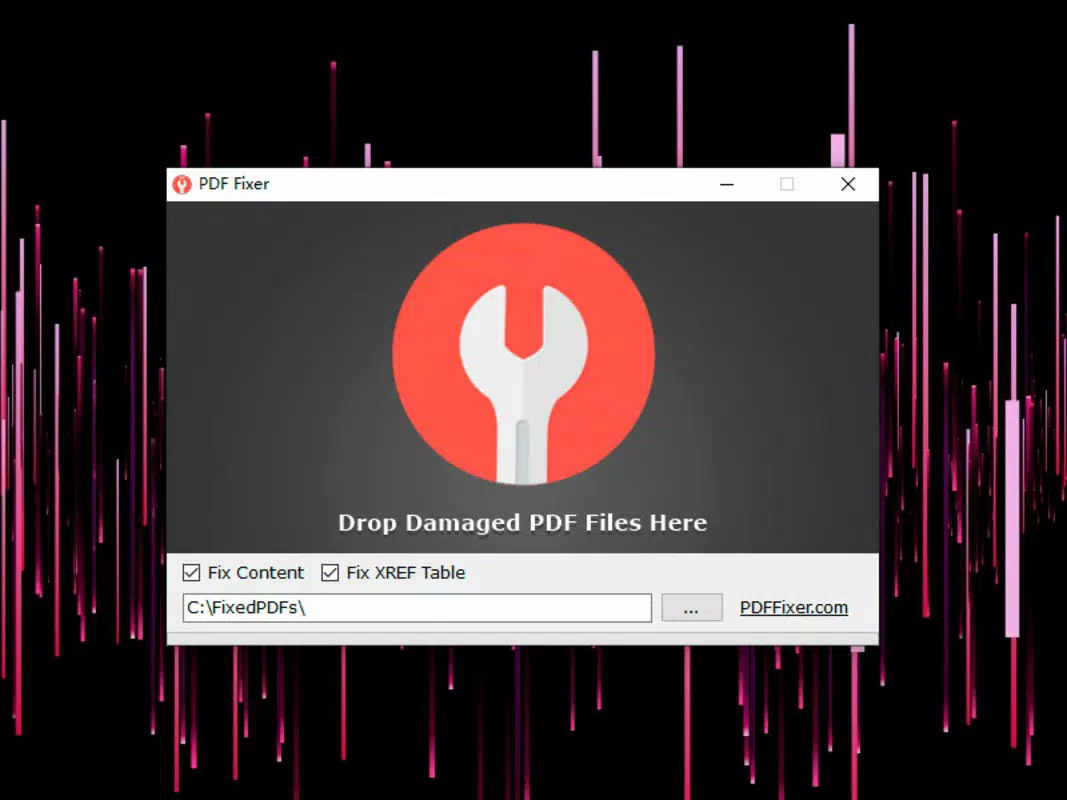
- XREF table reconstruction: Automatically rebuilds the cross-reference table, a critical component for navigating PDF content, which is frequently corrupted during file transfer.
- Recovery and export to new PDF: Successfully recovers embedded content and exports it into a new, functional PDF file for safekeeping and further use.
- Auto preview of fixed content: Offers a real-time preview of the repaired document, allowing users to verify the integrity of recovered data before saving.
- Automatic detection of damaged files: Scans and identifies problematic PDFs without requiring manual input, streamlining the repair process.
- Batch repair functionality: Enables users to process multiple damaged files simultaneously, improving efficiency for bulk recovery tasks.
- Portable version support: Includes a portable variant, allowing use without installation, ideal for temporary or shared device scenarios.
- No dependency on Adobe Acrobat: Operates independently, eliminating the need for additional software or licensing.
For example, a student receiving a corrupted exam PDF via email can use PDF Fixer to restore the document without needing a desktop. Similarly, a remote worker with a damaged contract file can recover it on their Android phone. The multi-threaded processing ensures faster handling of multiple files, making it suitable for users managing large volumes of documents.
Interface, UX & Performance
The user interface of PDF Fixer is designed with functionality and simplicity in mind, prioritizing ease of access to core repair tools. The layout follows a clean, minimalistic structure, with clear navigation paths that guide users through the repair process. Key actions—such as selecting a file, initiating repair, and previewing results—are accessible through intuitive icons and labeled buttons, reducing the learning curve for first-time users.
Navigation is straightforward, typically involving a file picker followed by a repair confirmation and preview screen. The app maintains consistent visual feedback throughout the process, such as progress indicators during file analysis and repair. Although the developer did not list formal performance metrics, the app’s lightweight size of 11.2 MB suggests optimized resource usage, which likely contributes to smooth operation on mid-range and high-end Android devices.
Responsiveness is maintained across different screen sizes and resolutions, ensuring a stable experience on various Android smartphones and tablets. Stability during file processing is crucial, and while specific crash reports or error logs were not provided, the app’s focus on core functionality indicates a reliable operation. The absence of unnecessary animations or heavy graphics supports efficient performance, particularly when handling large or complex files.
Platform Compatibility & Technical Requirements
PDF Fixer is available exclusively on the Android platform, making it accessible to users of Android smartphones and tablets. The current version is 2.0.1, released on April 5, 2024. The app has a file size of 11.2 MB, indicating a compact footprint that minimizes storage impact and facilitates quick downloads.
Compatibility information was not fully disclosed. The developer did not specify minimum OS requirements, which may affect usability on older Android versions. Users are advised to ensure their device meets general Android 6.0 (Marshmallow) or higher standards for optimal performance, though this is not confirmed. No additional hardware requirements were mentioned, suggesting broad compatibility with standard Android devices.
Pros and Cons
Pros
- Free to download and use with no in-app purchases
- Specialized in repairing severely damaged PDFs that other tools cannot fix
- Supports batch processing for multiple file repairs
- Provides a preview of recovered content before export
- Portable version available for installation-free use
- Does not require Adobe Acrobat or other third-party software
- Lightweight size (11.2 MB) suitable for devices with limited storage
Cons
- Platform limited to Android; no iOS or desktop version available
- Specific OS version requirements were not listed
- Developer did not provide performance benchmarks or stability reports
- No cloud integration or backup features included
- Interface may appear basic to users expecting advanced design
FAQ
Is PDF Fixer safe to use on my device?
Yes, the app is free from malware and does not require excessive permissions. It operates locally on your device, meaning your files are not uploaded to external servers.
Can I repair PDFs without installing Adobe Acrobat?
Yes, PDF Fixer does not require Adobe Acrobat or any other PDF editing software. It functions independently on Android devices.
Does PDF Fixer support batch repair of multiple files?
Yes, the app includes a multi-threaded batch repair feature that allows users to fix multiple damaged PDFs simultaneously.
What should I do if the app doesn’t detect a corrupted file?
Ensure the file is indeed damaged and not just slow to open. Try selecting the file again or check if it was saved correctly. The app automatically detects issues during analysis.
Is there a version of PDF Fixer for iOS or desktop?
Currently, the app is only available for Android. No official iOS or desktop versions have been released by the developer.
Final Thoughts
PDF Fixer delivers a focused, reliable solution for users grappling with corrupted PDF files on Android devices. Its ability to recover documents that standard viewers cannot open makes it a valuable tool in the mobile productivity toolkit. With features like batch repair, auto preview, and a portable version, it offers both efficiency and flexibility for real-world use cases.
While the app is limited to Android and lacks detailed technical documentation, its core functionality is well-executed and purpose-built. For anyone who frequently handles PDFs and risks file corruption, this tool provides peace of mind and immediate access to critical data. It stands out as a practical, no-frills utility that solves a specific but common problem.
Download PDF Fixer now


